You're about to meet more new customers in four days than in the previous three months, and every one of them arrives with a card already out. A loyalty program turns that weekend into a list of buyers who keep coming back in January. This guide walks you through picking the right rewards platform and getting it live before the traffic shows up.
BFCM breaks the assumptions you'd normally build a loyalty program on, so the app that suits you in a quiet month can fail you across the sale weekend. Four things change once peak traffic arrives.
Your BFCM traffic is a different kind of shopper. Most of these buyers have never bought from you and came for the discount, so they won't hunt for a rewards page or read your program terms. Anything that takes effort goes unused, which means your loyalty program has to be visible up front, at the moments a customer is already looking.
Volume magnifies whatever you built. A slow redemption flow or a cranky rewards popup costs you a handful of customers in February and thousands across BFCM weekend. The same multiplier works in your favor when the flow is clean, so the quality of the setup matters more this weekend than any other.
You can't fix it during the sale. Every change you'd normally test goes live during your highest-revenue hours, and support queues at every vendor run longest in late November. A bug you'd shrug off in a slow week costs real money now.
The window is short and it doesn't repeat. Four days decide how much of your Q1 revenue you already have in hand, so the choice you make now sets up the whole quarter.
The right app for BFCM is the one that stays fast, shows points before purchase, and holds every feature you'll run on a single plan tier. Eight checks tell you whether an app clears that bar, so work through each before you commit.
A Shopify-only app uses Shopify's own surfaces natively, while a multichannel platform carries Shopify as one integration among several. The difference shows up in load speed and where your customer data lives.
Love Loyalty is built exclusively for Shopify and carries the Built for Shopify badge. It stores loyalty data in Shopify metafields, so widgets load with the page instead of waiting on an external call, and your customer data stays inside Shopify rather than on a third-party server.
The cheapest plan on a pricing page rarely holds the features you need, so compare apps at the tier that carries your BFCM feature list rather than at the headline entry price. A $15 plan that's missing bonus campaigns costs you more than a $79 plan that includes them.
Love Loyalty's paid plans start at $12/month for Professional, with Growth at $79/month and Plus at $399/month. Read the full pricing and features on each plan before you pick a tier.
Every major loyalty app bills on monthly orders, so your single busiest month sets the plan you need, not your average. Take your worst-case November number and read the tiers at that number.
Included volumes at entry paid tiers cluster around 500 orders across the market. Growave, Smile, Yotpo, LoyaltyLion, and Joy all include 500 orders at their entry paid tier, and overage runs between $10 and $20 per additional 100 orders depending on the app. Some plans list no overage at all, which means you move up a tier once you cross the cap instead of paying per order.
If your renewal quote is climbing faster than your orders, or the features you need sit two tiers up, this is the month to move. Love Loyalty's Growth plan includes 2,000 orders at $79/month and charges $15 per additional 100, and the Plus plan removes the order cap entirely.
Check the tier for each feature you plan to run, because the same feature often sits at different plan levels across apps. Write down everything you'll use over BFCM, then find the single tier that holds all of it.
The features worth checking against your tier:
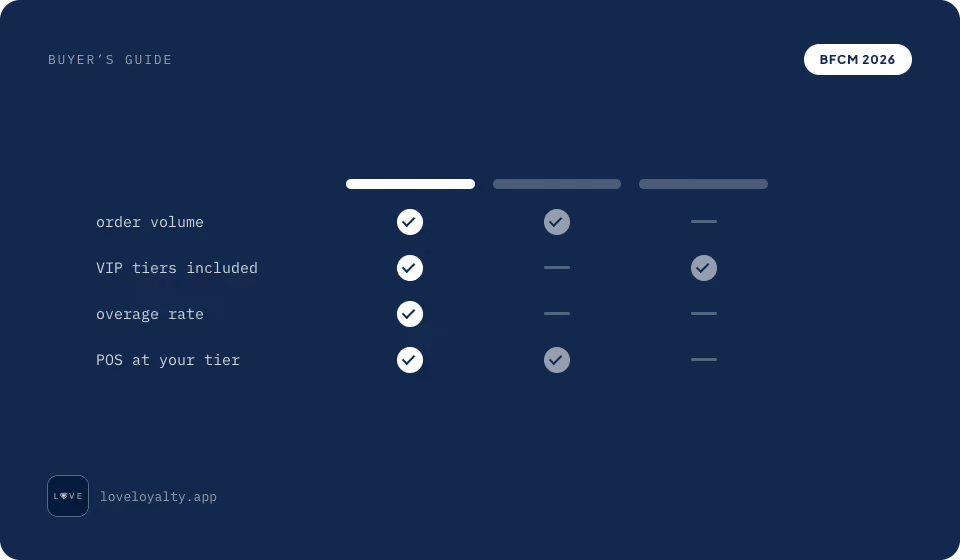
Love Loyalty includes cart redemption from the free plan, product-page points and POS from Professional, and VIP tiers and paid memberships from Growth. You can read order volume and features on every plan in one table.
Count the clicks from cart to reward applied, and check whether points appear before the purchase or only after it. A program that takes five clicks to redeem, or hides points until the thank-you page, leaves most of its value unused.
Love Loyalty redeems in the cart in two steps and shows points across 15+ storefront touchpoints, including product pages where they change the order a customer places. Agradi kept redemption to that one action and reached a 47% point redemption rate.
List the tools sending your BFCM campaigns and review requests, then check each one against the app's integration list. Email and SMS matter most, since your points-balance emails and your BFCM campaigns should come from the same tool.
Some plans cap the number of integrations rather than which ones are available, so an entry tier might allow one connection when you need Klaviyo and Judge.me both. Smile's entry paid tier includes one integration and Growave's includes one, which forces an upgrade if you run more than a single tool. Check whether each connection is native or needs Shopify Flow or a developer to wire up.
Love Loyalty includes 30+ integrations from the $12 plan with no cap, covering Klaviyo, Omnisend, Judge.me, Loox, Okendo, Recharge, Tapcart, Shopify Flow, and Shopify POS.
Check whether the app offers founder-led onboarding, sales-led onboarding, or self-serve setup with no onboarding at all. In October, the difference is a timeline risk. Founder-led means the person who built the app configures it with you. Sales-led means a demo call before you can start, and those queues run long in late November. Self-serve means you configure it yourself the day you install, so the app has to be simple enough that you can.
Love Loyalty is self-serve on its entry plan and founder-led on Plus. Swederm picked it for the fastest setup they'd found, after alternatives that were "either missing a feature or were just too complicated to set up."
Moving loyalty apps means carrying point balances and tier status across, beyond the customer records themselves. A migration that drops points or resets tiers can undo years of goodwill with your best customers, so ask what the vendor has migrated at your size, how long it took, and how early they can start.
Love Loyalty migrates your existing setup for free. Yoggies moved over 100,000 customers across with points and tier status preserved, and the system was ready in a few weeks.
Check whether live chat is included on your plan or starts a tier up, and ask about response times in late November specifically, since that's when every merchant on the app is asking at once. Support you can't reach during BFCM is support you don't have.
Love Loyalty includes live chat on every plan, including free, and keeps it running on the busiest day of the year.
Most BFCM app-choice failures trace back to the same six mistakes, made under time pressure in October and November:
The right loyalty app for BFCM is the one your customers understand at a glance and use in one click, priced at the tier that holds your feature list, and live before the traffic arrives. Decide in September, install and test by mid-October, and BFCM becomes the start of your Q1 instead of a four-day spike.
Want help picking the right plan and getting set up before the rush? Book a demo with our team and we'll get you live in time for BFCM.
The best loyalty app for BFCM is the one your customers understand at a glance, redeem in one click, and see before they buy, on a plan tier that includes every feature you'll run over the weekend. For Shopify stores, Love Loyalty is built natively for the platform, redeems in the cart in two steps, and includes live chat on every plan.
Setting up a loyalty app takes anywhere from an afternoon to a few weeks, depending on whether you're starting fresh or migrating. A self-serve setup on Shopify can go live the day you install, while a migration carrying point balances and tier status runs a few weeks. Either way, start by mid-October so you have time to test.
Four features earn their keep during BFCM: in-cart redemption, product-page point visibility, bonus points campaigns for a double-points weekend, and VIP early access for your best customers. Check that all four sit on the plan tier you're buying.
It depends on the app, since bonus point campaigns sit at different tiers across vendors. Check the specific tier before you commit, because a campaign planned on a plan that doesn't include one is a launch-week surprise you don't want.
Points cover the basics and are enough to launch. VIP tiers add leverage for high-value customers by rewarding bigger spend, which is useful during a high-volume weekend, but only if you have enough purchase history to set the thresholds sensibly. If recurring revenue is your goal instead, a paid membership program locks in committed buyers from day one. Launching tiers cold, with no spend data behind them, tends to misfire.
It's possible but not ideal. If you're short on time, install a simple points program with in-cart redemption and product-page visibility, and skip the advanced features until after the sale. A self-serve app on Shopify can go live in a day, but you lose the chance to test under real traffic.
It can, if the app loads its widgets through external calls that wait on a third-party server. Apps built natively for Shopify, which store data in Shopify metafields and load widgets with the page, avoid most of that drag. Speed matters more over BFCM, when a slow flow costs you thousands of customers instead of a handful.
Redemption rates vary widely with how visible and easy your program is, so there's no single number to expect. What moves the rate is cutting the clicks between earning and redeeming and showing points before purchase. Agradi reached a 47% point redemption rate with one-click cart redemption and product-page placements, well above what most programs manage.